Oct 01

It may soon be possible to register the much anticipated .UK extension for UK domain names. For instance, instead of domain.co.uk you will be able to register the shorter domain.uk version. This new domain extension will only available to UK registrants.

Nominet have begun a 3 month consulation ending January 7th in order to consider the issues put forward. The new extension would be a new service that would run alongside the already popular .CO.UK, .ME.UK, .ORG.UK and .LTD.UK domain extensions.

The .UK domain extension will not simply be another extension. It will be provided with additional security and verification features including:

* Available only to UK registered addressess
* Daily monitoring for malicious software and viruses
* Trustmark support for verified domains

The proposed pricing to domain registrars of the new .UK extension will be £20 per domain per annum as opposed to the current £2.50 per domain per annum for the other .UK extension.

You can respond to the consultation either by completing an online form, by downloading the consultation and emailing your comments to direct@nominet.org.uk or by requesting a hard copy of the consultation from direct@nominet.org.uk

View full details directly at Nominet’s web site under Consultation on a new .uk domain name service

Sep 29

How to Choose a Great Domain Name


Today plenty of people run (or are thinking of running) a small or home based business. You could be one of them. Regardless of the type of business, having a website on the internet is immensely important if you want to reach the right audience. And all good websites start with a great domain name.

When it comes to registering a domain name we recommend you get the .co.uk and the .com domains where possible as a minimum. This means people will find your site regardless of which extension they type in. If you can get .biz, .org and some other extensions as well, so much the better.

We’ve put together ten essential points to remember that will help you find the best domain name for your business.

1. Think about your keywords.

Keywords can be a strong part of any domain name. Jot down the half a dozen strongest keywords relating to your business and see if you can use any of them in your domain. One idea is to combine a keyword with your brand name, for example.

2. Use and develop your brand.

If your business already has a name, try and get the domain for it if you can. This will help to build your brand. A good example would be if you own a shop and you want to build a website to back it up online. Even if people don’t know if you have a website or not, the first thing they’ll search for is your business name, so make sure they can find it.

3. Check copyright and any trademarks before committing to a domain name.

When you have a domain name you like, check and see whether anyone else is using that name first. Not just as a domain name, but as a business name. It could be costly if you buy a name that is already in use.

4. Be timeless rather than trendy.

Don’t be tempted to go for a domain you think is trendy. Trends pass, but your domain name will be around for some time. Ask yourself this – will the domain name you choose still sound good and be effective in a year from now? How about ten years? The answer should be yes in both cases.

5. Avoid misspellings.

Avoid this at all costs. If someone asks you your domain name you should just be able to tell them what it is. You shouldn’t have to say ‘it’s so and so, but you don’t spell it the normal way.’ Avoid using a ‘z’ instead of an ‘s’ and so on.

6. Keep your domain name short and catchy.

The shorter it is the better. Most obvious single word – and even two word – domains have gone, but you don’t have to resort to five or six word domains. Keep it as short as possible, because short domains are far easier for people to remember than long ones. You don’t want to have to explain your domain name for people, or worse, struggle to fit it on your business cards!

7. Use UK-Cheapest.co.uk to find out whether your preferred domain is available.

This is the easiest way to see whether your ideas are available or not. Once you have the name you want – and it’s available as both a .com and a .co.uk name – you can buy it from us.

8. Avoid hyphenated domains.

Have you ever tried to give someone a domain name that has hyphens in it? You end up saying something like this: ‘it’s best hyphen new hyphen sports hyphen shoes dot com.’ Phew! It’s a bit of a mouthful, but those hyphens are necessary otherwise the person won’t find the website. So avoid using them wherever possible when you’re creating your ideal domain name.

9. Consider opting for something other than your brand name.

If you cannot get the domain name you want, think about combining two particular evergreen words related to your business that will carve you a niche online. Let’s say you sell titanium wedding rings for example. You could combine the words titanium and vows (as in wedding vows) to create a brand from the very beginning.

10. Persevere!

Don’t choose the first domain idea you come up with. It’s amazing how many people spend only five or ten minutes thinking of a domain name. As soon as they find something that is available and halfway reasonable, they buy it, when there could have been something far better available had they spent a little longer thinking about it.

Be prepared to brainstorm some ideas for a day or more, and remember – the domain name you choose could have a profound effect on how successful your business is.

Conclusion

Choosing a domain name is a serious business, once you start building your brand it is difficult to change it, so put the time in at the beginning to avoid the common pitfalls. It will be worth it.

Sep 22

Re: How we deal with SPAM for email forwarding

We have changed the way we deal with spam for all emails managed by our parked domain services. External services such as Google/Gmail, Hotmail, AOL are constantly tightening their incoming email requirements and so in an effort to minimise false positives further, we have applied the following features:

1) We have modified the score for Spam Assassin to eliminate false positives.

2) We have activated Spam Assassin for all emails. This includes incoming mail for mailboxes, out going mail for mail boxes and emails forwarded to external destinations.

3) Email determined to be SPAM by Spam Assassin is no longer quarantined but will continue to be forwarded (or delivered if you have a Mailbox) with the addition of the text “[SPAM]” added to the subject header.

4) The Spam Assassin headers will remain intact for all forwarded email. This will show the receiving mail server that we have already evaluated the email and marked the score. The receiving mail server may perform additional checks.

5) Google’s Gmail policy states that even if email arrives that they determine is spam, it will still be delivered as long as the text “SPAM” is included in the email subject header. See Best practices when forwarding to Gmail for more information.

6) These changes are only relevant to parked domain services (microlite1) and are not relevant to our Plesk hosting services.

If you see an email with [SPAM] in the subject header this just means that this MAY be spam, it is down to you to decide as it is impossible to know for sure on an automated basis. Other than the subject header change the email will be treated normally as with any other email. The modification of the subject header will ensure that all emails are delivered to your external services.

As always, if you have any questions do not hesitate to contact the support teams.

Sep 01

Finally it is now possible to register .UK domain names for periods other than 2 years.

Since it’s inception, Nominet (the UK domain registry) have only facilitated 2 year domain name registrations and domain name renewals. It was not possible to register or renew for any other period. Unlike pretty much all other domain extensions which have since the year dot had registration and renewal options starting from 1  to 10 years.

We now support .UK domain name registration periods from 1 year to 10 years. Renewal periods of the same value are now also offered at time of renewal. You can see the official Nominet news release under Nominet to roll out multi-year reigstration periods for UK domains.

To get the best value from your domain name registration or renewal, go for 10 years (or as long as you can afford) as the price is stepped down and discounted for longer term registrations and renewals. Prices drop to as low as £2.99 per year if you register or renew for the longer periods, these terms are set and forget, no need to remember to renew.

Automatically scheduled 10 year renewal orders

Domains can be renewed up to 180 days before the expiry date. However this poses another problem which Nominet are aware of. That is, let say you have 100 days left on your domain name and you want to renew, you choose the 10 year renewal. Sounds ok? Well this will be a big fail. This is because a .UK domain name cannot have more than 10 years remaining. So in this case, if the renewal worked, you would have 10 years and 100 days remaining. No possible, so we automatically schedule your renewal order to execute on the expiry date – this resolves the (annoying) problem of timing your renewal perfectly.

Jul 31

We are shortly commencing the upgrades of all hardware and infrastructure related to the parked domain name services. This will improve security, performance and reliability of all related domain services including:

  • DNS Management
  • Email forwarding
  • Web Forwarding
  • Parked Mailboxes
  • Domain Homepages

These upgrades only concern parked domain name customers and not any hosting accounts will be affected. If your domain name is using name servers other than ns.microlite1.com then this upgrade will not  concern any of your services.

The hardware will be installed and tested by 1st August and migration testing will begin 7th August. We anticipate final completion of the migration to commence weekend 18th/19th August. The entire process will be complete by midnight on Sunday 19th August.

We will disable the Domain Control Panel at 0300 Saturday 18th and it will be re-enabled 0300 Monday 20th. During this period there may be intermittent outages or propagation issues which we endeavour to keep to a minimum. Our priority will be to have the services 100% active by 0300 Monday 20th August.

For information purposes (you do not need to do anything) the parked domain name servers host names will remain the same however the IP addresses will change as follows:

  • ns.microlite1.com -> currently 66.98.136.44 -> changes to 109.75.164.106
  • ns2.microlite1.com -> currently 66.98.137.170 -> changes to 109.75.164.107

This will mean that there will be a propagation delay between changes however this should cause minimal disruption as both sets of IP addresses will remain active during this period.

Thank you for your patience and support during this time. If you have any questions do not hesitate to contact us.

Mar 20

This is a Nominet accounting status code indicating the registration status of your domain name. Even though it says “Renewal request being processed.”, this also means your domain is fully renewed. Once 30 days has passed, the status will change to “Registered until renewal date”.

Nominet explain the (sometimes confusing) status as follows: “This status is used after first registration but before the initial registration fee has been received.  Please note that we (Nominet) issue monthly invoices, so it is possible that if this status is displayed your registrar has not yet been invoiced for the domain name.”.

For more information, see Renewal request being processed at Nominet.

Mar 20

This is a Nominet accounting status code indicating the registration status of your domain name. Even though it says “Registration request being processed.”, this also means your domain is fully registered. Once 30 days has passed, the status will change to “Registered until renewal date”.

Nominet explain the (sometimes confusing) status as follows: “This status is used after first registration but before the initial registration fee has been received.  Please note that we (Nominet) issue monthly invoices, so it is possible that if this status is displayed your registrar has not yet been invoiced for the domain name.”.

For more information, see Registration request being processed at Nominet.

Mar 09

This is a tough question if you are registering your first domain and you are also on a tight budget.

  • As a minimum, you need to register the .co.uk if you are a UK based company and also the .com version if available.
  • If your site is important,  consider registering as many extensions as possible to prevent others pretending to be you.
  • While your business is new you can register the domains at cost. Once you are established, obtaining the domain names from a squatter is going to be expensive, if not impossible.
  • Find a comfortable budget for your domain registrations. Annually the costs is much less than it used to be.
  • You may need to consider registering misspellings if your brand name can easily be misspelt for additional protection.

The reason you need to register both the .co.uk and the .com becomes apparent once your site becomes successful. Do you really want someone to launch a site with your company brand and have them ride on your coat tails – or even bring your business in to disrepute? So, if you can, get both the .co.uk and the .com extensions.

So how about the rest of the extensions?

If you are serious about your business, you need to purchase as many extensions as your budget will afford. Domain registration is very cheap these days and there are no excuses for cutting corners. Once your business is successful it will be very difficult if not impossible to collect the extensions after they have been registered by other parties.

So I should register all of the extensions?

If you can, in this order, you should take the .co.uk, .com, .net, .biz, .info and .eu. As stated earlier, if you are serious about your business then register as many of the extensions as you can afford.

Feb 18

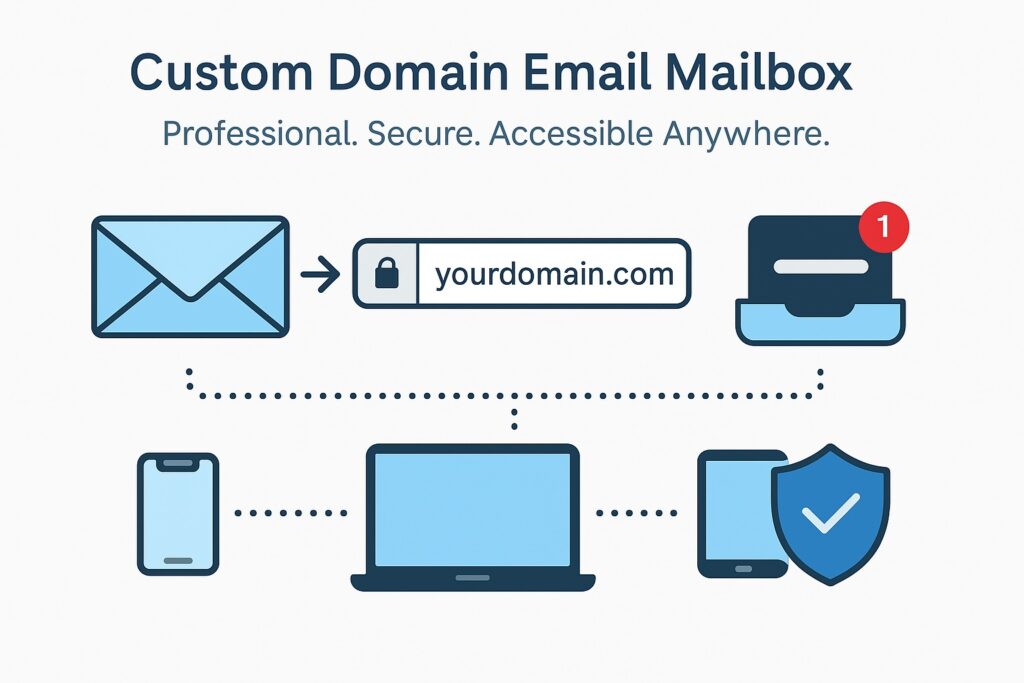
We offer mailboxes with our parked domain services. The mailboxes supplied with parked domain names operate slightly differently to hosting mailboxes, this FAQ should help in answering some of the common questions regarding parked domains.

How should my name servers be set?

For parked domain mailboxes you domain name servers need to be set to point to the parking server (MICROLITE1). The name servers should be set to:

  • ns.microlite1.com
  • ns2.microlite1.com

If your name servers are not set to the parking name servers then your domain name will not be connected to your domain mailbox service and no email will be received to your mailbox. Any name server changes are subject to the usual global DNS propagation delay of up to 72 hours.

How do I access my domain mailbox?

You can access your domain mailbox be using the login details in your welcome email. We currently offer Squirrelmail as the webmail client for domain mailboxes which you can access using the following URL:

http://www.microlite1.com/webmail

You can also add your domain mailbox POP user details to your email client (such as Outlook) by using the incoming mail server name “mail.microlite1.com”. The outgoing mail server name must be that as provided by your ISP.

How do I send emails from my domain mailbox?

You can send email from your domain mailbox by logging in to your webmail client (currently based on Squirrelmail) at the URL below:

http://www.microlite1.com/webmail

It is not possible to send email using your local email client at this time unless your ISP allows you to send outgoing mail direct from your PC.

Can I send email through my PC mail client eg Outlook?

It is not possible to send email using your email client at this time. Emails can only be sent by using the webmail client accessable here: http://www.microlite1.com/webmail

Can I receive email through my PC email client eg Outlook?

Yes, simply use your mailbox name (eg mbname-domain-co-uk) as  your POP username and mail.microlite1.com as your incoming POP mail server name. This will enable you to download your emails to your local email client.

Jan 04

Before connecting your domain to your Google Apps Email account you will need to determine if your domain name is parked or hosted. If your domain name is parked you will need to make the changes in your Domain Control panel - if your nameservers are NOT set to ns.microlite1.com and ns2.microlite1.com and you have hosting with us you will need to make the changes inside your Plesk control panel. If you have lost your Domain / Plesk control panel login details please go to Forgotten password to retrieve all of your login details by email.

To make DNS changes inside your Domain control panel select the domain and go to DNS Manager, please be sure to delete any existing MX records before adding the new ones. When adding the Google MX records please set the hostname for each MX record to @

To make DNS changes inside your Plesk control panel, select the domain and go to DNS Settings, please ensure that you delete any existing MX records before adding the Google MX records. When adding the records please leave the ‘mail domain’ field blank.

You are now ready to add the following MX records:

ASPMX.L.GOOGLE.COM. 1

ALT1.ASPMX.L.GOOGLE.COM. 5

ALT2.ASPMX.L.GOOGLE.COM. 5

ASPMX2.GOOGLEMAIL.COM. 10

ASPMX3.GOOGLEMAIL.COM. 10

The records are listed in priority order (smallest priority value 1 = highest priority), if you cannot add the priority values listed then you will need to add the records in the listed order.

If you experience any problems please submit a ticket to our Help Desk.

Oct 29

Re: EPP Codes, Auth, Authorisation, Authorization codes

The EPP code and the authorisation code for a domain name are the same thing, just different names.

Oct 29

To connect your domain name directly to Moonfruit you will need to edit the DNS A record.

  • Login to the Domain Control Panel if your domain is parked
  • Login to the Plesk Panel and click “DNS Settings” if your domain is hosted
  • Delete the WWW A record
  • Add a new WWW A record with the IP address 146.101.249.107
  • Save changes

Allow a few hours for the DNS to fully propagate, this change will connect your domain name directly to Moonfruit.com.

Oct 29

To connect your domain name directly to Weebly you will need to edit the DNS A record.

  • Login to the Domain Control Panel if your domain is parked
  • Login to the Plesk Panel and click “DNS Settings” if your domain is hosted
  • Delete the WWW A record
  • Add a new WWW A record with the IP address 199.34.228.100
  • Save changes

Allow a few hours for the DNS to fully propagate, this change will connect your domain name directly to Weebly.com.

Oct 29

To connect your domain name directly to Wix you will need to edit the DNS A record.

  • Login to the Domain Control Panel if your domain is parked
  • Login to the Plesk Panel and click “DNS Settings” if your domain is hosted
  • Delete the WWW A record
  • Add a new WWW A record with the IP address 216.139.213.144
  • Save changes

Allow a few hours for the DNS to fully propagate, this change will connect your domain name directly to Wix.com.

Oct 29

To connect your domain name directly to Yola you will need to edit the DNS A record.

  • Login to the Domain Control Panel if your domain name is parked
  • Login to the Plesk Panel and click “DNS Settings” if your domain is hosted
  • Delete the WWW A record
  • Add a new WWW A record with the IP address 184.72.229.176
  • Save changes

Allow a few hours for the DNS to fully propagate, this change will connect your domain name directly to Yola.

Note: Yola may charge you for pointing to their DNS. Check with Yola first for any costs associated with pointing your domain name direct to their services.