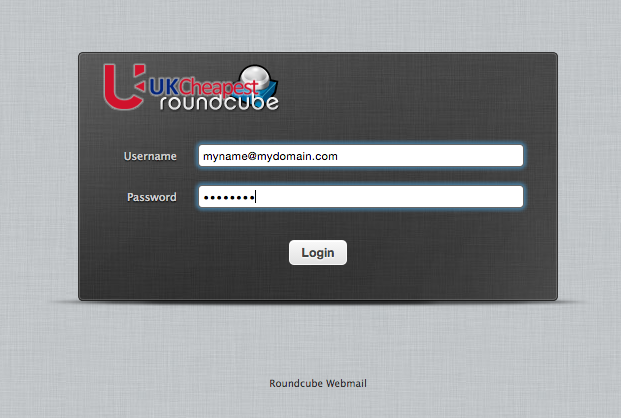
How to Log In to Roundcube Webmail

Roundcube webmail login

Open the webmail address for your mailbox service and sign in with the full email address and mailbox password

Custom Domain Email on the UKC parking service uses webmail.ukc.uk. A shared-hosting mailbox can use the webmail address for its assigned server, such as webmail.ukc10.uk, or a secured webmail prefix on the domain. Your Client Area password is not the mailbox password.

USERNAMEFull email addressFor example you@yourdomain.uk
PASSWORDMailbox passwordNot the Client Area password
SECURITYCheck HTTPSAvoid certificate warnings

Which Roundcube address should you use?

Mailbox serviceWebmail addressWhere to confirm it
Custom Domain Email for a parked domainwebmail.ukc.ukDomain tools and mailbox setup information
Shared hosting mailboxAssigned server webmail, such as webmail.ukc10.ukHosting welcome email or Plesk
webmail.yourdomainCan work for hosted mailUse only when DNS and SSL cover the webmail hostname

How do you sign in?

  1. 1
    Open the correct HTTPS address

    Check the spelling and certificate before entering credentials.

  2. 2
    Enter the full email address

    Use the complete mailbox address, including the domain.

  3. 3
    Enter the mailbox password

    Use the password set for this mailbox in Domain Tools or Plesk.

  4. 4
    Sign out on shared devices

    Close the session and do not let the browser save the password on a public computer.

Why does Roundcube reject the login?

Wrong webmail service

A parked mailbox and shared-hosting mailbox can have different servers. Confirm which product owns the address.

Wrong username

Use the full email address, not only the part before @ and not the Plesk username.

Wrong mailbox password

Reset the individual mailbox password in its control panel. This does not need to change your UKC account password.

Browser or account issue

Try a private window, then send support the mailbox address, service and exact error without the password.

Can you also use Outlook, Apple Mail or a phone?

Yes. Use secure IMAP 993 with SSL/TLS for incoming mail and SMTP 587 with STARTTLS and authentication for outgoing mail. Shared hosting customers should use the assigned server hostname to avoid certificate mismatch errors. Custom Domain Email uses mail.ukc.uk.

Roundcube questions

Is Roundcube my email account?

Roundcube is the browser interface for a mailbox. The same mailbox can also connect to an email app.

Why do I see a certificate warning?

You may be using a hostname not covered by the certificate. Stop and use webmail.ukc.uk for parked mail or the assigned server webmail hostname for shared hosting.

Does email forwarding have a Roundcube login?

No. Forwarding sends messages to another inbox and does not create a stored mailbox unless a mailbox product is also active.

Can support tell me my password?

No. Passwords are not recoverable in plain text. Reset the mailbox password instead.

Parked-domain mailbox

Use webmail.ukc.uk with your full email address

For shared hosting, confirm the assigned server first.

Was this helpful?
How to Log In to Roundcube Webmail written by UKC average rating 4.1/5 - 64 user ratings

1 thought on “How to Log In to Roundcube Webmail”

  1. Hello,

    I just want to send a quick comment to say how much better this new webmail system is – the old one used to drive me crazy!

    Thanks!
    Katherine

Comments are closed.